Delta Touch Faucet Not Working: Troubleshooting Guide
Learn fast, practical steps to diagnose and fix a Delta touch faucet not working. From power and sensor issues to replacement tips, follow this structured guide.


The most likely causes are power loss or sensor miscalibration. Start by cleaning the touch sensor and verifying the power source (batteries or transformer), then perform the reset per Delta’s guidelines. If it remains unresponsive, pursue the diagnostic flow and step-by-step fixes that follow.
Common causes and initial checks
A Delta touch faucet not working is usually caused by a loss of power, sensor miscalibration, mineral buildup, or interruptions in water supply. Before diving into technical steps, start with the simplest checks. First, verify the power source: if your model runs on replaceable batteries, confirm they are installed correctly and have a fresh charge. If your faucet is wired to a transformer or power supply, ensure the outlet is live, the adapter is seated, and there are no tripped breakers. Next, inspect the sensor area: touch sensors can become less responsive when they are dirty, wet, or coated with mineral deposits. Wipe the surface gently with a dry microfiber cloth, then lightly dampen and wipe again. If you notice any condensation or moisture near the electronics, dry the area thoroughly. Check the water supply lines under the sink: make sure the shut-off valves are fully open and that no kinked hoses are restricting flow. Finally, look for obvious leaks or drips that could indicate a broader issue. If you identify a clear power or water supply problem, address it first and re-test before proceeding to sensor-specific steps.
Safety and prep before diagnosing
Safety comes first when you're working around water and electrical components. Turn off power to the faucet circuit at the breaker or unplug the transformer before removing any panels or touching wiring. Wear eye protection if you will handle fittings or near splashing water. Gather basic tools: a clean cloth, sensor-cleaning solution (or mild dish soap), and a soft brush. If your Delta faucet uses replaceable batteries, have a fresh set ready, following the polarity marks. Work over a dry, stable surface to avoid slips. If your model has a manual reset procedure, locate the instruction sheet or the Delta support site before attempting it. Note that some models include a built-in diagnostics mode accessible via a sequence of taps; if your installation lacks documentation, skip diagnostics that require factory procedures to avoid voiding warranties. When in doubt, pause and consult a professional—safety and warranty considerations trump quick fixes.
Diagnostic flow: how to test each potential cause
Approach troubleshooting as a flowchart. Start with the easiest checks and move to more involved steps only as needed.
-
Symptom: No response to touch despite power indicators. Diagnose power first: confirm batteries or transformer are supplying voltage and that there are no loose connections. If power is present, move to sensor cleanliness.
-
Symptom: The faucet responds intermittently or after touching certain zones. Possible causes: sensor miscalibration or contamination. Clean the sensor area and check for moisture or residue.
-
Symptom: Sensor works but water flow is inconsistent after activation. Check aerator and supply lines; mineral buildup can affect flow and sensor feedback.
-
Symptom: Power restored but sensor still unresponsive after reset. Consider the control module or electronics; wiring connectors could be loose, or a microscopic crack in the control PCB may interrupt signals.
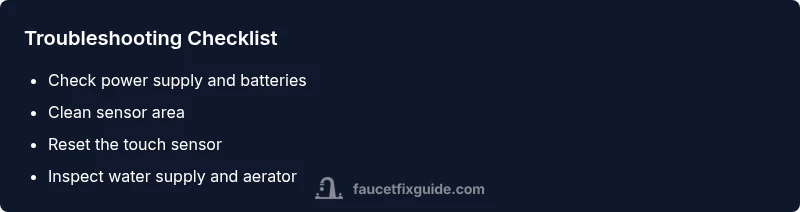
Fixed order: verify power → clean sensor → reset sensor → inspect water supply → test after each step. If you reach a point where you alter hardware, document changes to avoid confusion during later steps. If this doesn’t fix the issue, continue with the Step-by-Step repairs or contact a plumber with experience in Delta faucets.
Prevention tips to extend life of your Delta touch faucet
Regular maintenance helps prevent future failures. Schedule routine sensor cleaning to remove dirt and mineral deposits, especially in areas with hard water. Use a soft cloth and avoid abrasive cleaners that can scratch the sensor. Keep the faucet dry when not in use to reduce moisture exposure to electronics. Periodically check the power source: if your model uses batteries, replace them rather than letting them die unexpectedly; if it uses a transformer, inspect the outlet and cords for wear. Avoid placing heat sources near the faucet, as extreme temperatures can affect sensor performance. When installing or repositioning the faucet, ensure the mounting is secure and that the sensor window is level and unobstructed. If you notice frequent sensor misreadings after water quality changes (e.g., higher dissolved minerals), consider a filtering solution or aerator cleaning to maintain consistent sensing. Finally, document any maintenance tasks and keep warranty information accessible in case a professional service is required.
The role of water quality and aerator in sensor performance
Sensor-based touch faucets react to changes in flow and proximity, which can be influenced by water quality and the aerator. Hard water deposits, sediment, or bacteria can accumulate on the sensor window or inside the aerator, causing delayed or false activations. Regular aerator removal and cleaning is recommended: turn off water, detach the aerator using pliers or hand grip, rinse, and scrub off buildup. Reassemble and test. If the faucet continues to misbehave after cleaning, inspect the supply lines for mineral scale that can reduce water pressure and alter the sensor's response. In some cases, installing a point-of-use water softener or a dedicated faucet filter can improve consistency. If you have recently changed water quality due to a new filtration system, re-test the faucet after a few days to see if sensor behavior stabilizes. Remember that sensor performance is not a substitute for proper installation; verify that the faucet is mounted correctly and the power module is secure.
Final guidelines on professional help and warranty
Not every Delta touch faucet issue should be treated as a DIY fix. If cleaning and power checks do not restore function, or if you encounter damaged wiring or water leaks, call a licensed plumber or the Delta warranty line. Many Delta faucets include a limited warranty that covers mechanical and electronic components; review the terms before disassembly to avoid voiding coverage. Take photographs of the installation before and after any work to document the condition. If a service visit is needed, have your model name, purchase date, and serial number ready. For ongoing problems, consult the Faucet Fix Guide team and consider replacing failing components with recommended parts from Delta's official catalogs. Our approach emphasizes safe, methodical troubleshooting and choosing the option that protects your home and ensures reliable operation.
Steps
Estimated time: 25-40 minutes
- 1
Power check and safety first
Turn off power to the faucet circuit and inspect the batteries or transformer. Reseat connections and restore power, then test the touch sensor.
Tip: Always disconnect power before handling electrical components to avoid shock. - 2
Clean the sensor area
Wipe the touch sensor window with a clean microfiber cloth. If needed, use a mild solution and gently scrub to remove mineral deposits or grime; dry thoroughly before testing.
Tip: Avoid harsh cleaners that could scratch the sensor surface. - 3
Reset the touch sensor
Follow Delta’s reset procedure for your model (usually a sequence of taps or a button sequence). After resetting, test the faucet by touching the sensor in several positions.
Tip: Refer to your model’s manual for exact steps to avoid warranty issues. - 4
Check water supply and aerator
Turn off water supply, remove the aerator, and inspect for buildup. Clean or replace as needed; reassemble and run water to verify proper flow.
Tip: Handle fittings carefully to prevent cross-threading or leaks. - 5
Inspect control module connections
If accessible, check for loose connectors or damaged cables inside the body of the faucet. Re-seat any loose plugs and ensure a solid connection.
Tip: Take a photo of the original wiring before disconnecting anything. - 6
Decide on next steps
If the faucet still won’t respond after these steps, consider replacing the power module or contacting a professional. Keep your warranty information handy.
Tip: Document changes and warranty terms for service visits.
Diagnosis: Delta touch faucet won't respond to touch
Possible Causes
- highPower issue
- mediumSensor miscalibration or contamination
- mediumWater supply disruption or aerator blockage
- lowFaulty control module or loose wiring
Fixes
- easyCheck batteries or transformer and reseat connections
- easyClean sensor window and ensure dry surface; remove mineral buildup
- easyInspect shut-off valves and clear aerator; reassemble and test
- mediumIf power and sensor checks fail, inspect internal wiring or contact a pro
Frequently Asked Questions
Why is my Delta touch faucet not responding to touch?
Common causes include power issues, sensor miscalibration, or water supply problems. Start with power checks, clean the sensor, and try a reset. If it still fails, follow the diagnostic flow.
Power, sensor, or water supply issues are usually to blame—start with power checks and a sensor reset.
How do I reset a Delta touch faucet for troubleshooting?
Reset procedures vary by model. Refer to Delta’s manual or support site for your exact sequence, then retest the touch sensor. Do not perform a reset if you’re unsure about your model.
Check your model’s manual for the exact reset steps, then test the faucet again.
Can a dirty aerator affect touch sensitivity?
Yes. A clogged aerator can alter flow and sensor feedback, causing delayed or weak responses. Clean or replace the aerator and re-test.
A blocked aerator can interfere with the sensor; clean it and try again.
Is Delta’s touch faucet warranty helpful if I DIY?
Warranties typically cover mechanical and electronic components when used as intended. Review terms before disassembly to avoid voiding coverage and contact Delta support for guidance.
Warranty terms vary; check Delta’s policy before attempting repairs that could affect coverage.
What safety steps should I take before DIY repairs?
Cut power or unplug the unit, wear eye protection, and work on a dry surface. If unsure about electrical components, seek professional help.
Always power down and stay safe; if unsure, call a professional.
Watch Video
Top Takeaways
- Power and sensor checks first
- Clean the sensor surface regularly
- Follow model-specific reset steps
- Inspect aerator and water supply
- Consult a professional if unresolved